Your week at a glance, and how your dancers are really doing.
One screen for tonight, one for the schedule, and numbers underneath that answer the questions you actually ask on a Sunday evening.
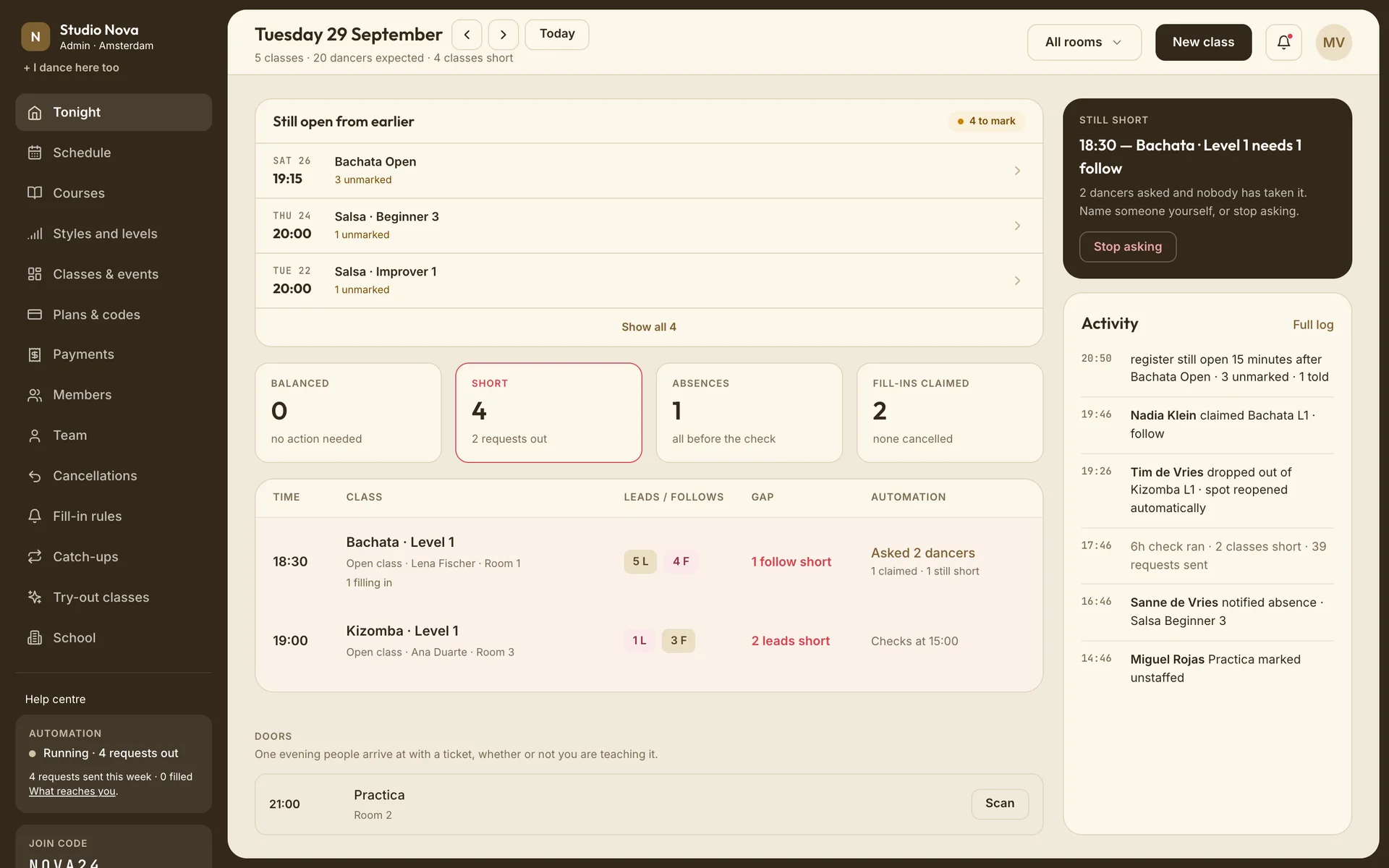
Every class this evening, with both roles counted
Who's booked, who cancelled, and which fill-ins are out, for every class that starts today.
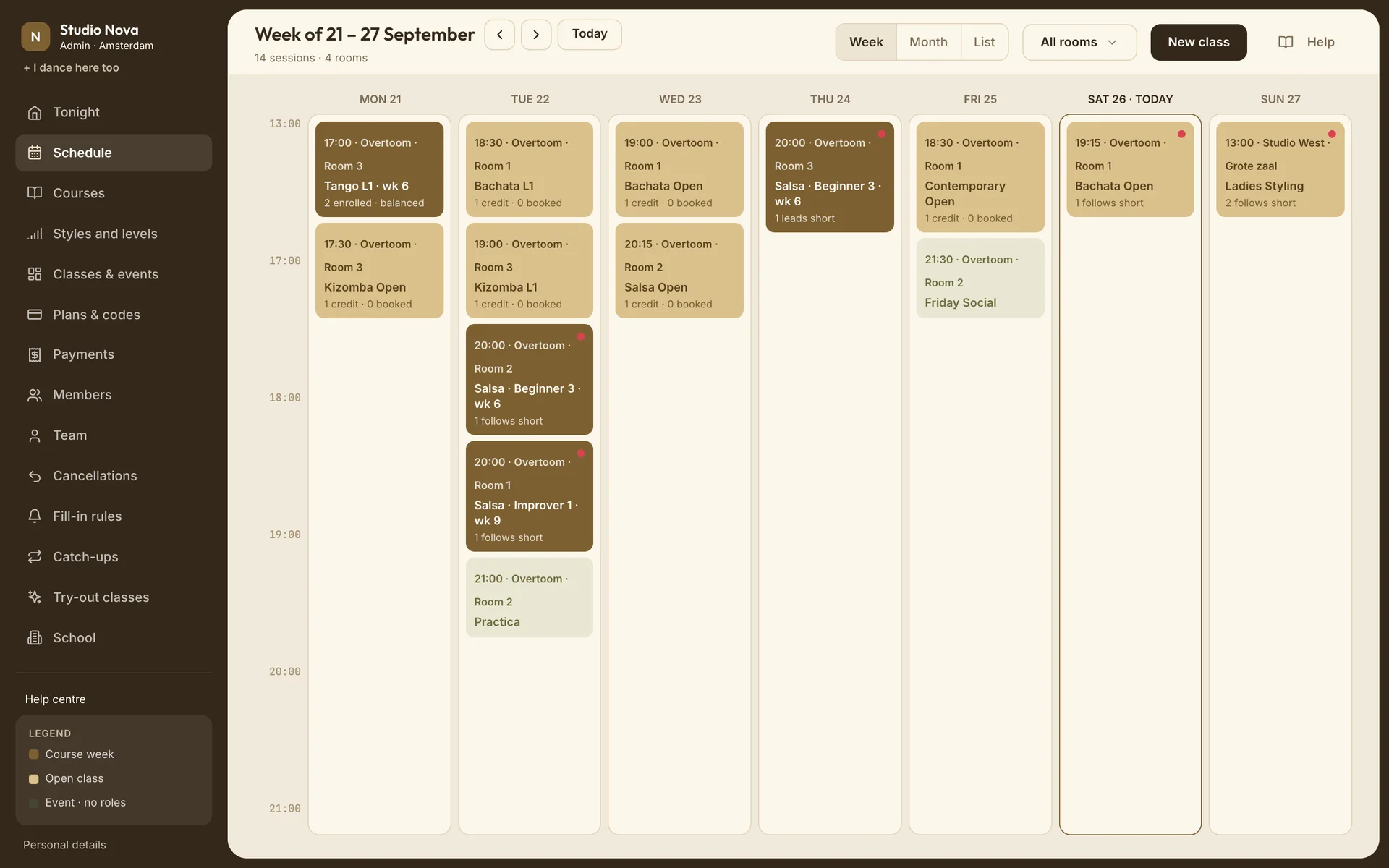
Set a season once
Tuesdays 18:30, September to June. Every lesson created; a week off is one cancelled lesson, and the dancers who booked are told.
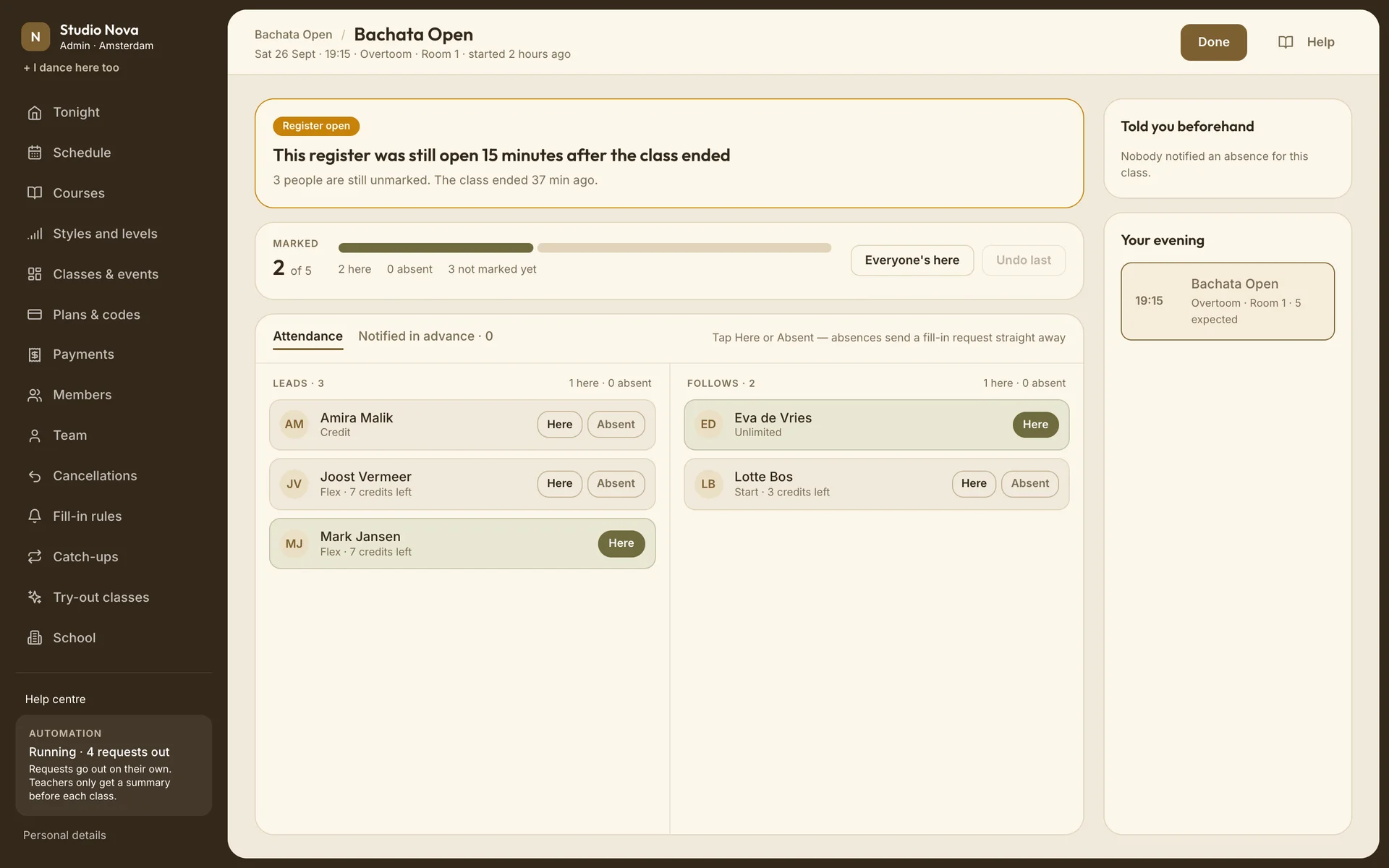
Mark it on the way in
Tap Here or Absent from a phone at the door. An absence before class sends the fill-in request itself, and an open register gets a reminder after class.
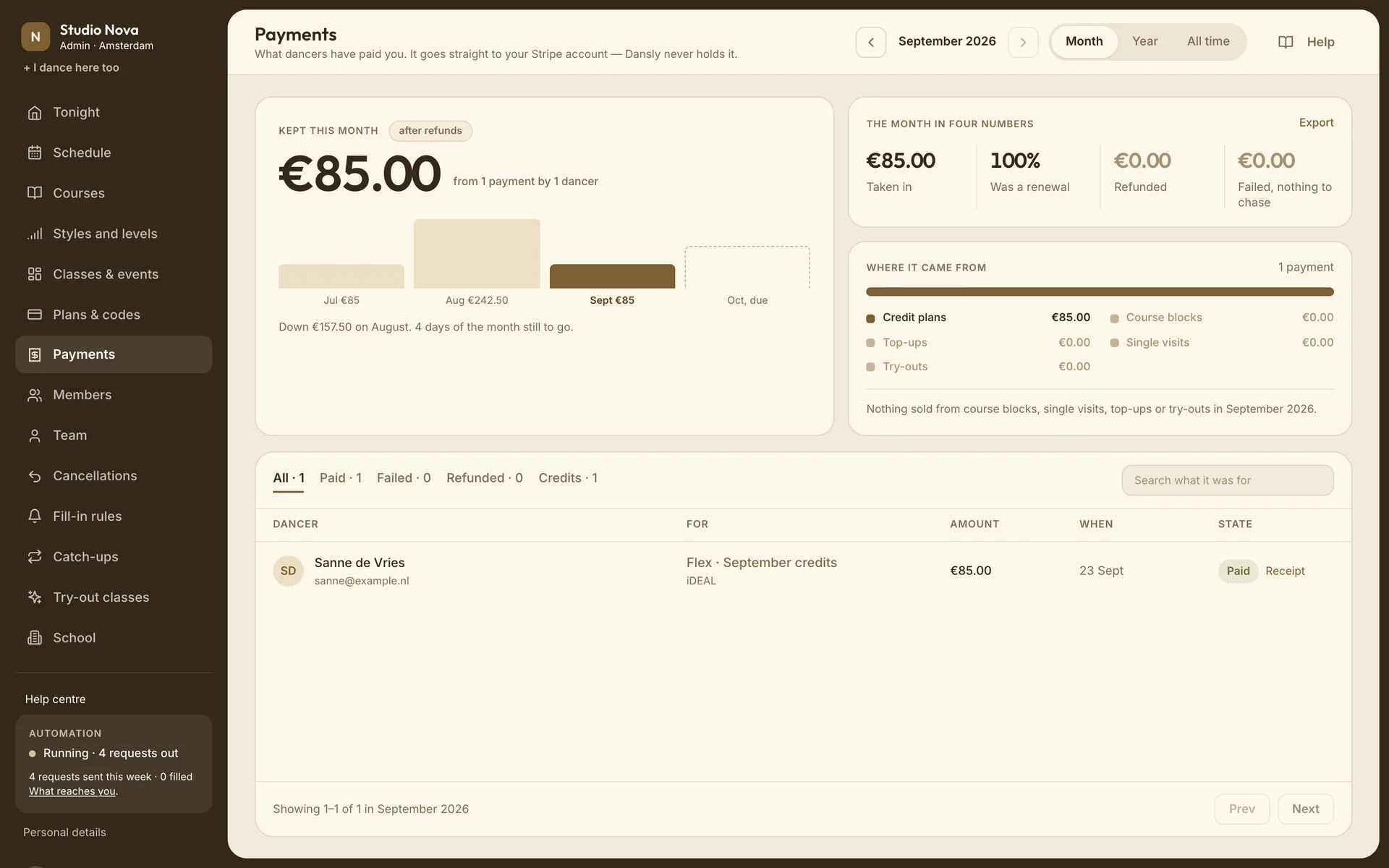
Money in, and who actually turns up
iDEAL or card payments, refunds and discount codes, paid out to your own Stripe. Underneath, what each dancer actually does.
Three roles, each with its own view
Plus billing, going live, payouts and the team.
Schedule, members, prices and registers.
Their rosters and registers, and one summary before each class.
Dashboard questions
Does it work on a phone?
Yes. Tonight and registers are built for a phone at the door, and teachers have a staff side in the app.
Can teachers see payments?
No. Teachers see their own classes and rosters only.
How do our members join?
With one join code or an invite. They pick their role; you set their level.
Can we export our data?
Members, payments and class rosters, as CSV.
What language is the dashboard in?
English, like the dancer app.
Try it on one class this week
Put your Tuesday beginners on Dansly, leave everything else as it is, and see whether anyone still has to text round.